
Faster patient discharge.
Better hospital coordination.
D360 gives hospitals complete visibility into the patient discharge journey, helping teams monitor progress, coordinate departments and reduce avoidable discharge delays through one centralized tracking platform.
Designed to complement existing hospital systems while bringing the discharge workflow into a clear, accountable operational view.
A focused platform for one of the hospital's most complex operational journeys.
 A Codevione Product
Patient discharge can involve doctors, nursing, pharmacy, billing, transport and other departments working through dependent activities. D360 brings these stages into a centralized workflow so hospital teams can see what is pending, understand responsibility and move the discharge journey forward.
Real-time tracking
Monitor the live status of every active discharge from a centralized operational view.
Department accountability
Connect the departments involved in discharge through a shared workflow and clear responsibilities.
Configurable process
Configure checkpoints, roles, stages and workflow sequences around the hospital's existing process.
Operational intelligence
Identify pending activities, bottlenecks and turnaround patterns through dashboards and reports.
Discharge is a journey, not a single task.
When multiple departments contribute to a discharge, progress can become difficult to see. D360 is designed around that operational gap: one place to track the journey, coordinate the next action and give hospital management visibility into where time is being spent.
See what is happening
View active discharges and their current stage without relying on disconnected updates.
Know what is pending
Identify outstanding activities and the department responsible for the next step.
Coordinate the workflow
Move the discharge process through configured departmental checkpoints and approvals.
Learn from the operation
Use turnaround data and operational reports to identify bottlenecks and improvement opportunities.
A configurable discharge workflow built around your hospital.
D360 does not assume every hospital follows the same discharge process. Its workflow can be configured around departments, user roles, approval stages, notifications and operational checkpoints.
Start the discharge
Begin tracking the discharge journey and bring the case into the operational workflow.
Move through checkpoints
Departments complete their configured responsibilities and pass the workflow forward.
Track progress
See active discharge status and pending activities from a centralized dashboard.
Surface delays
Identify workflow stages that require attention and improve accountability across teams.
Close the journey
Follow the discharge through its final stages until the patient exit process is complete.
Improve operations
Review turnaround times, department performance and operational patterns through reporting.
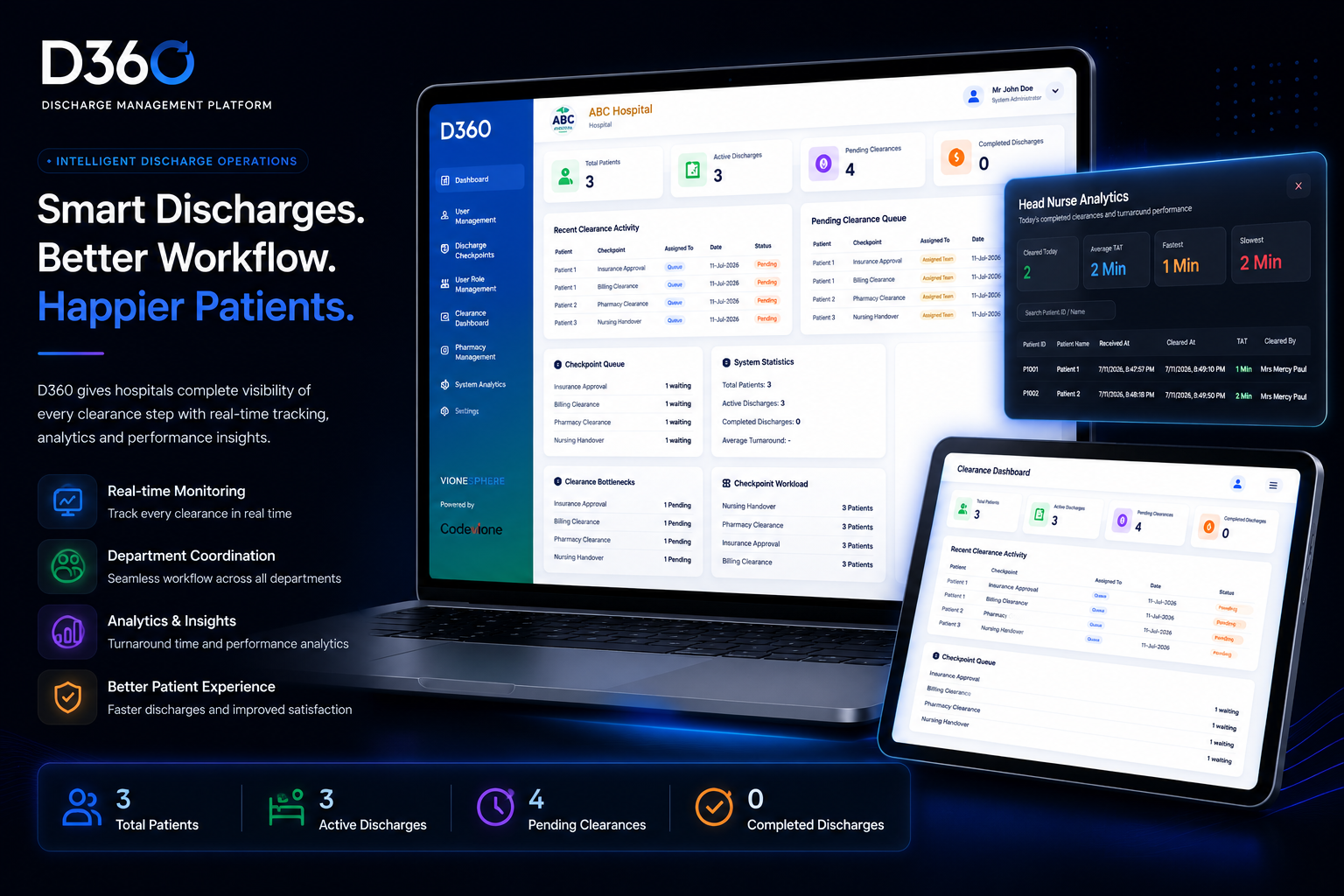
Complete operational visibility from a single dashboard.
D360 provides hospital administrators with a centralized view of patient discharge activity, helping management monitor workloads, identify delays and understand operational performance.
Adapt D360 to the way your hospital works.
Hospitals have different departmental structures, approval practices and discharge workflows. D360 is designed to accommodate those differences instead of forcing every organization into one fixed process.
Custom Workflow
Build discharge workflows around existing hospital processes and operational requirements.
Configurable Departments
Add, remove or reorder departments involved in the discharge journey.
Role-Based Access
Assign responsibilities and permissions according to user roles and departments.
Flexible Approval Flow
Configure approval sequences, notifications and escalation rules as required.
Automated Notifications
Notify the next responsible department after each completed workflow stage.
Live Progress Tracking
Monitor every active discharge in real time across the configured workflow.
Designed to improve the discharge experience for hospitals and patients.
By making discharge activity visible and accountable, D360 helps hospitals focus on operational efficiency while creating a smoother, more transparent journey for patients.
Reduce discharge delays
Identify pending activities earlier and reduce unnecessary waiting caused by disconnected workflows.
Improve coordination
Give every participating department a clearer view of its responsibility within the discharge process.
Increase visibility
Give management a centralized view of active discharge activity and operational performance.
Support patient experience
Help reduce avoidable waiting and create a more predictable discharge journey.
Monitor performance
Use turnaround times and operational reporting to identify bottlenecks and improvement areas.
Complement existing systems
D360 is designed to enhance discharge operations without requiring replacement of an existing HIS.
Transform your hospital's discharge process.
Explore the dedicated D360 platform to learn more about patient discharge tracking, configurable workflows, operational visibility and implementation.
Visit D360 Platform ↗ Request a Demo →